 Back
Back| 3.7.2 3.7b Creating a Multiple Selection (Pull-down) question |
| Step | Instruction | What it looks like |
|---|---|---|
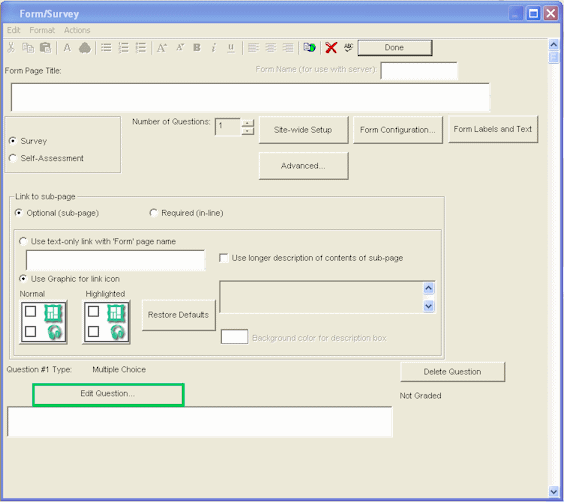
| 1 | From the form dialog, click Edit Question. |
 |
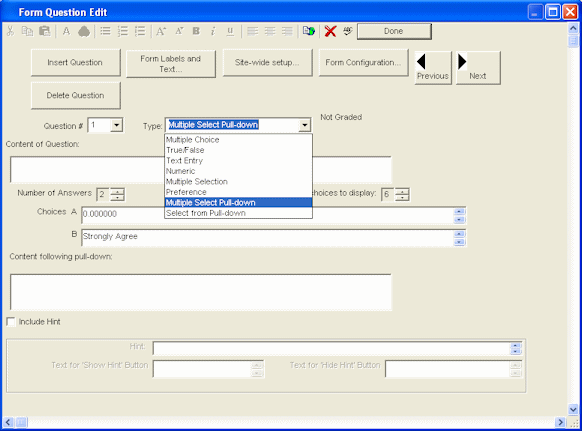
| 2 | Click the Type arrow and choose Multiple Selection (Pull-down). |
 |
| 3 | Enter the form question. |
 |
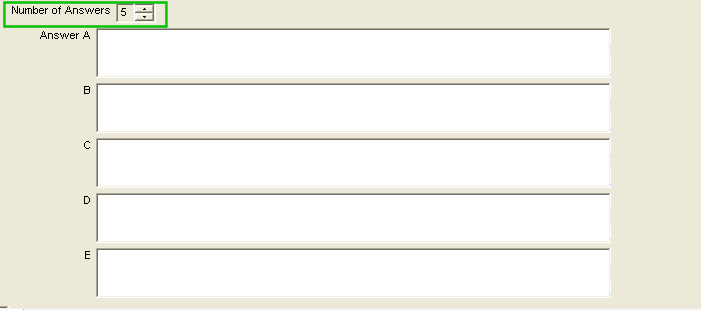
| 4 | Enter the number of answers along with the answer information. Text can be placed after the pull-down so that the pull-down appears as part of the question. |
 |