 Back
Back| 3.6.2 3.6b Creating a Select from Pull-down question |
| Step | Instruction | What it looks like |
|---|---|---|
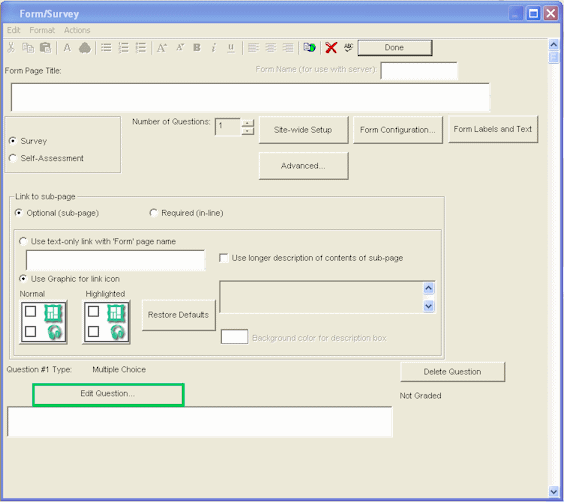
| 1 | From the form dialog, click Edit Question. |
 |
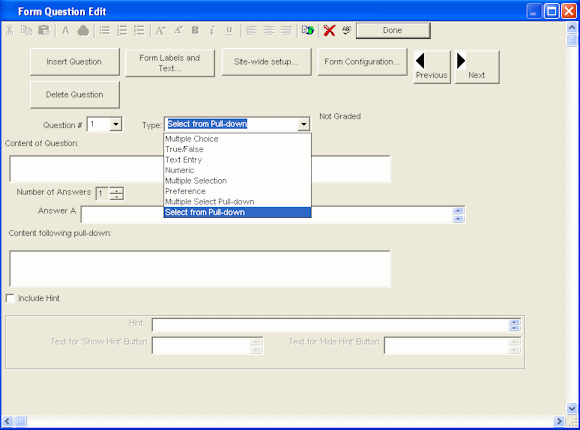
| 2 | Click the Type arrow and choose Select from Pull-down. |
 |
| 3 | Enter the form question. |
 |
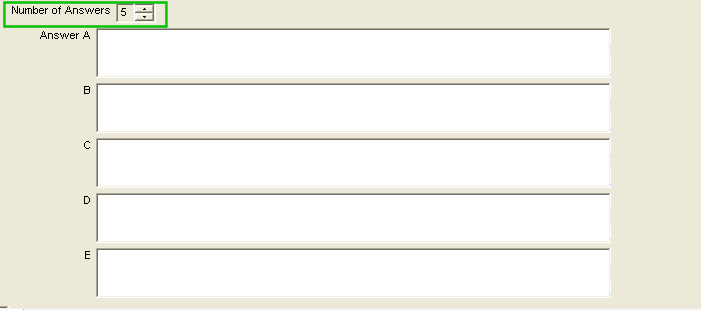
| 4 | Enter the number of answers along with the answer information. |
 |
| 5 | To add more information following the drop-down list, enter your text in the Content Following Pull-down field.
This is useful if, for example, you wan the drop-down list to appear in the middle of a sentence. |
|