 Back
Back| 3.2.1 3.2a Creating a Form or Self-Assessment Question |
| Step | Instruction | What it looks like |
|---|---|---|
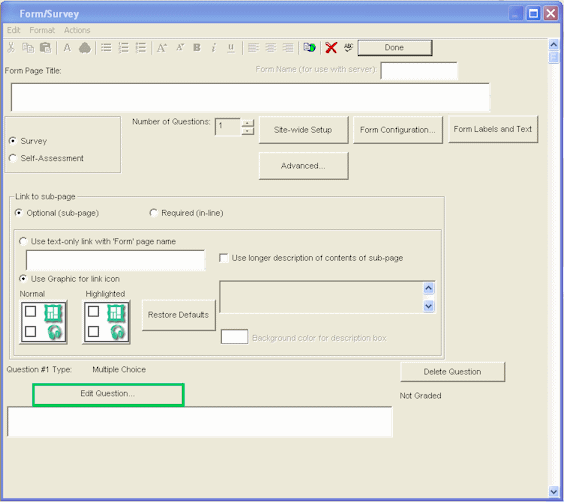
| 1 | From the Form/Survey dialog box, click Edit Question. |
 |
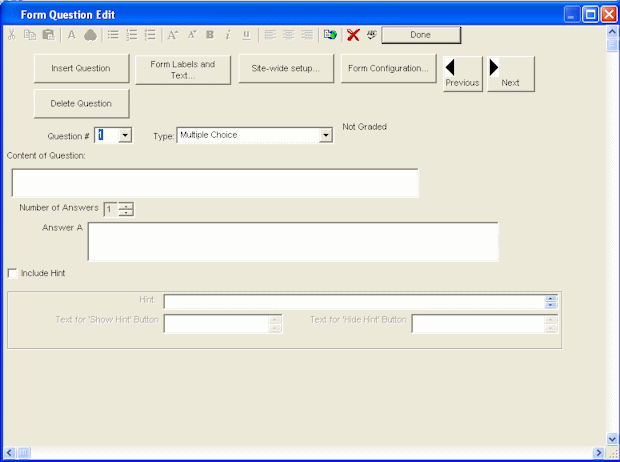
| 2 | On the question dialog page you can fill in, customize, or add a new question. |
 |
| 3 | To add a new question to an existing form, click the Insert Question button. |
 |
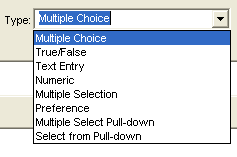
| 4 | Click the Type pull-down and choose the type of question you wish to create. Detailed instructions are provided for each type of question on the following pages. |
 |
| 5 | Enter your question content. | |
| 6 | To add another question, click Insert Question. |
|
| 7 | When you finish, click Done. | |